



01
VFR and IFR routes on the map
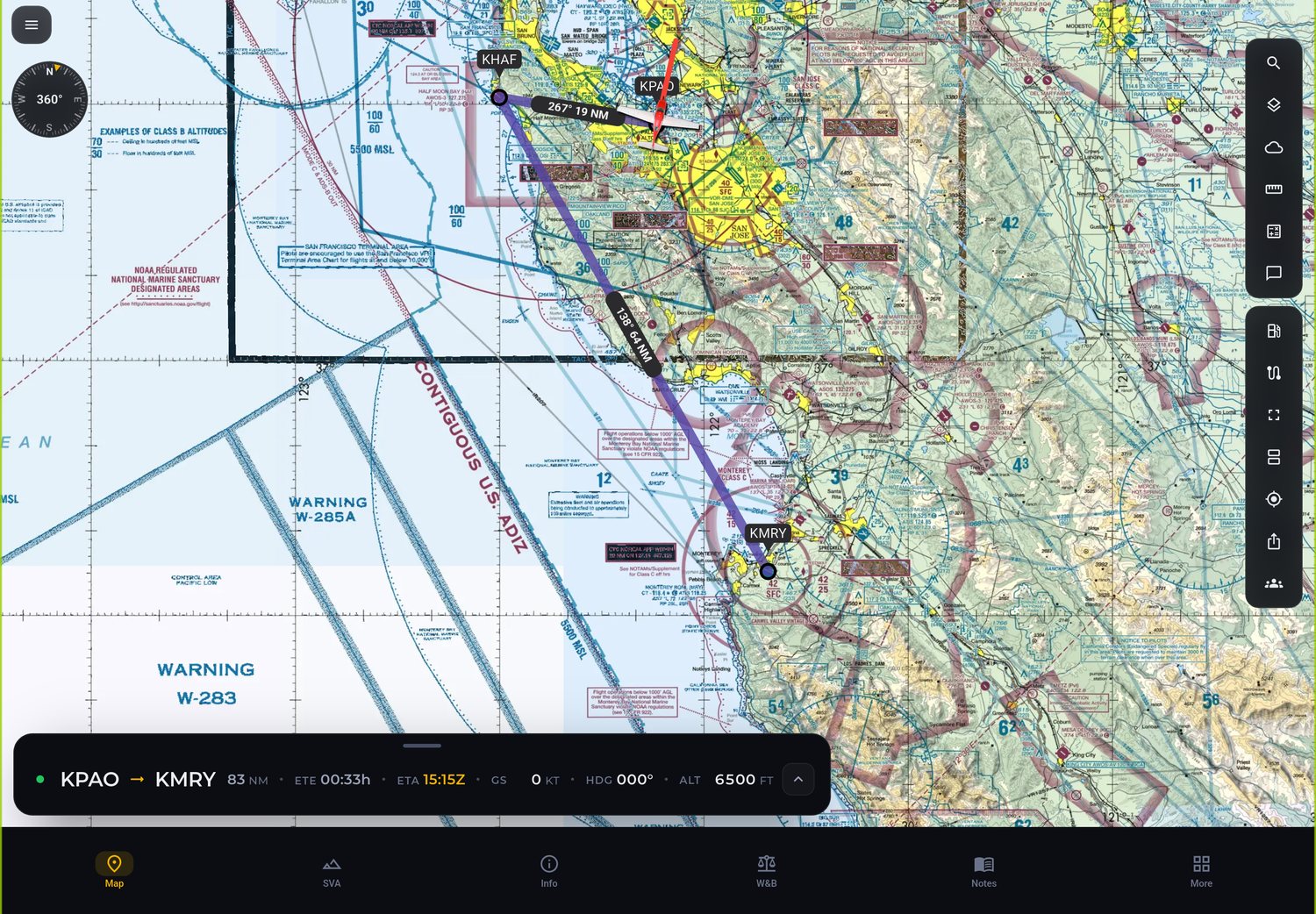
Build the route by tapping the map or typing the ICAO code. Heading, distance, ETE and ETA for each leg, with SID, STAR and airways.
Features
One app to plan, check and follow your flight. On your phone, tablet, Windows PC and watch.
Build the route by tapping the map or typing the ICAO code. Heading, distance, ETE and ETA for each leg, with SID, STAR and airways.
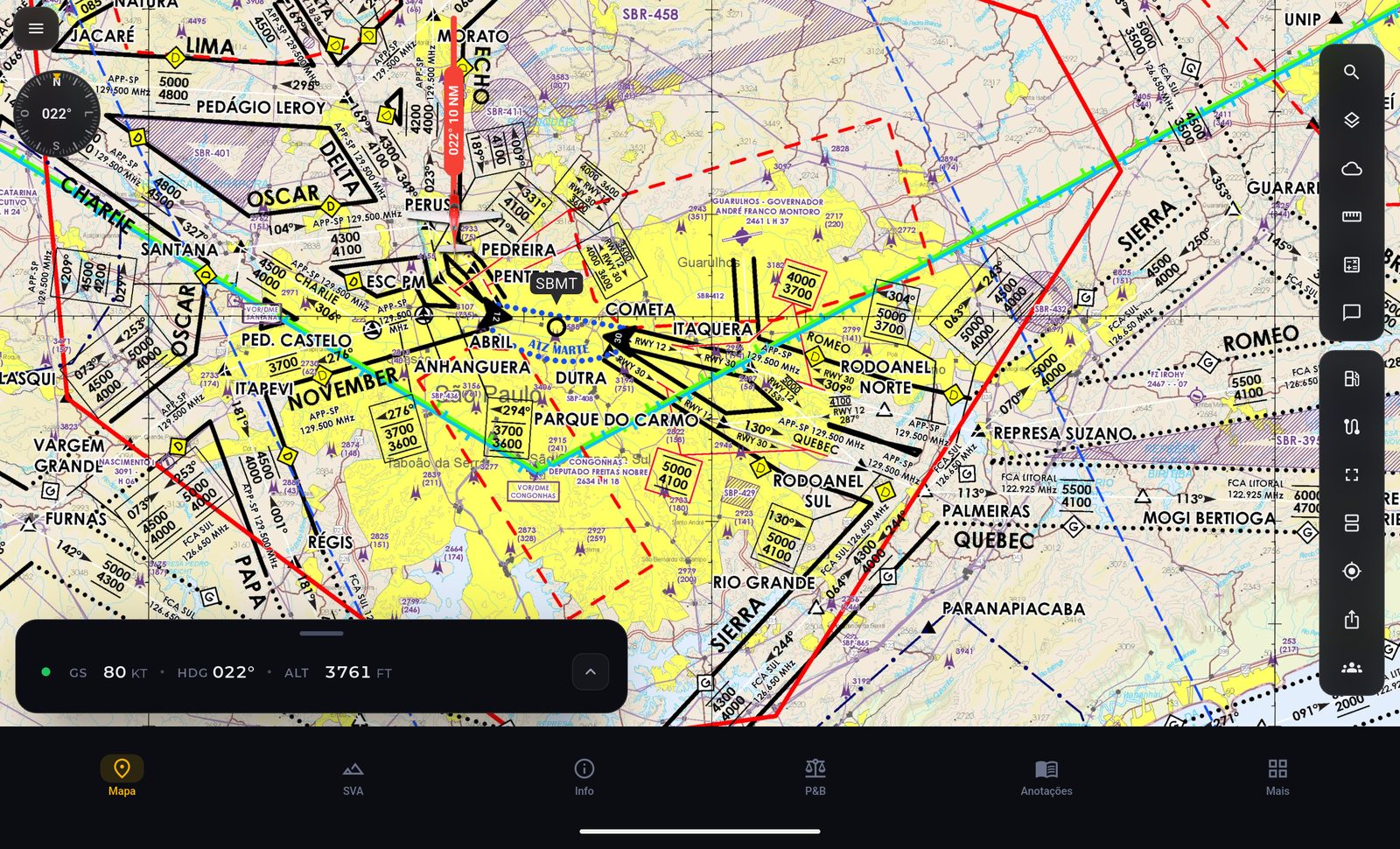
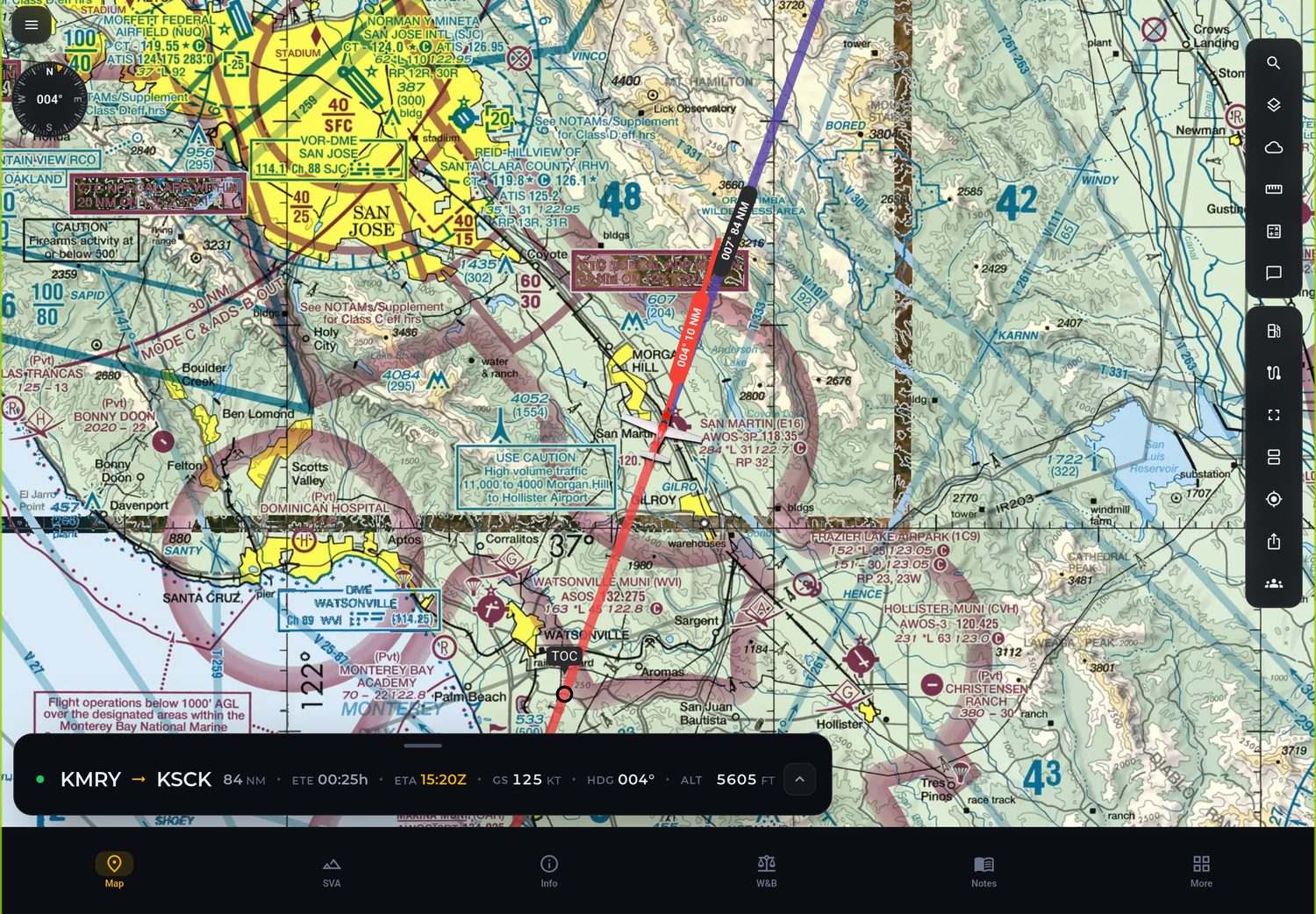
The Brazilian terminal area VFR chart on the map, with the visual corridors and the altitude of each route point.
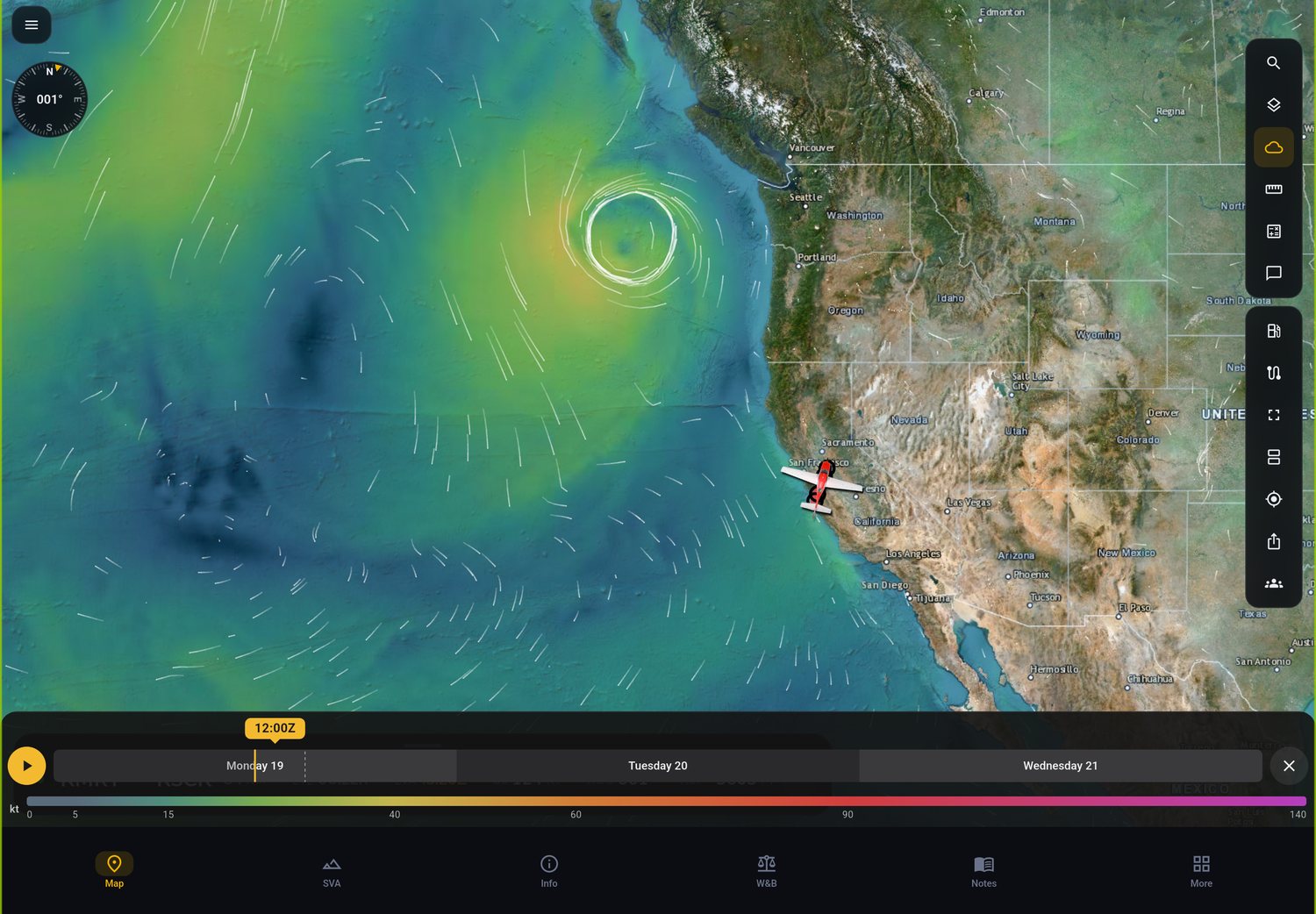
Wind, rain and SIGMET for turbulence, icing and thunderstorms on the map, with a timeline to pick the best time to leave.
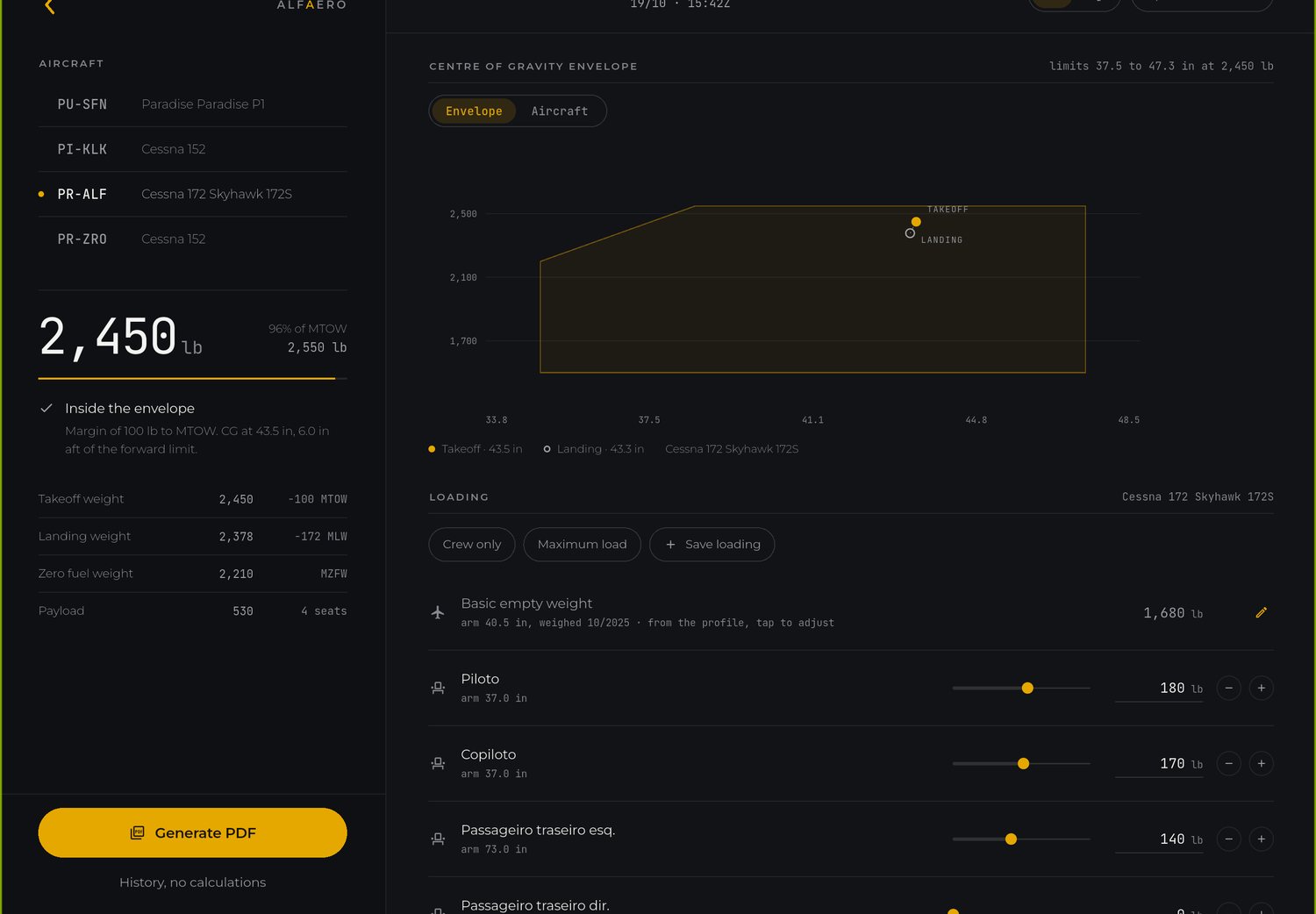
Your own aircraft profile, the CG inside the envelope for takeoff and landing, and a PDF ready to take on board.
Airport, approach, SID and STAR charts at their real position, also offline, with a notice when a new AIRAC cycle comes out.
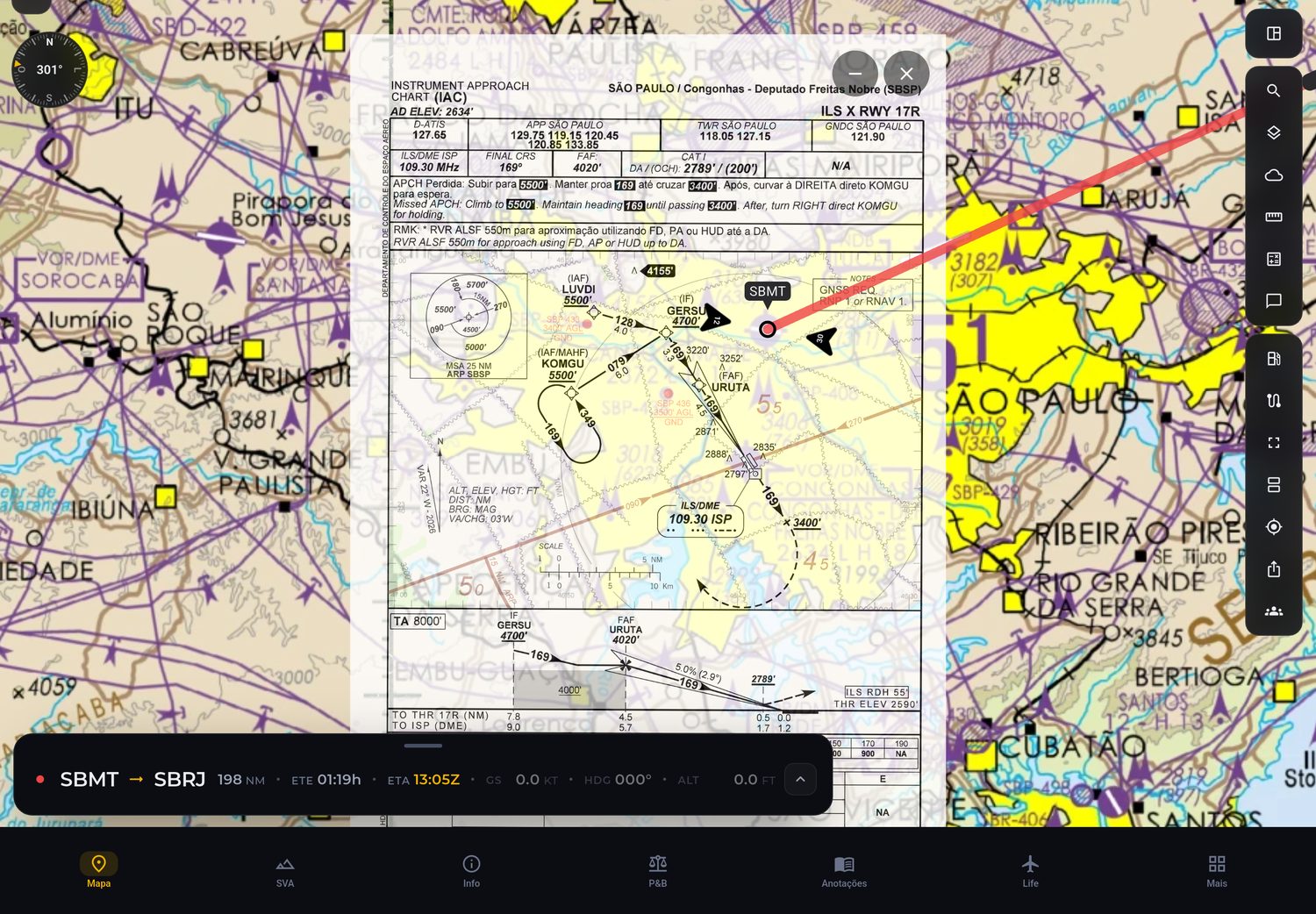
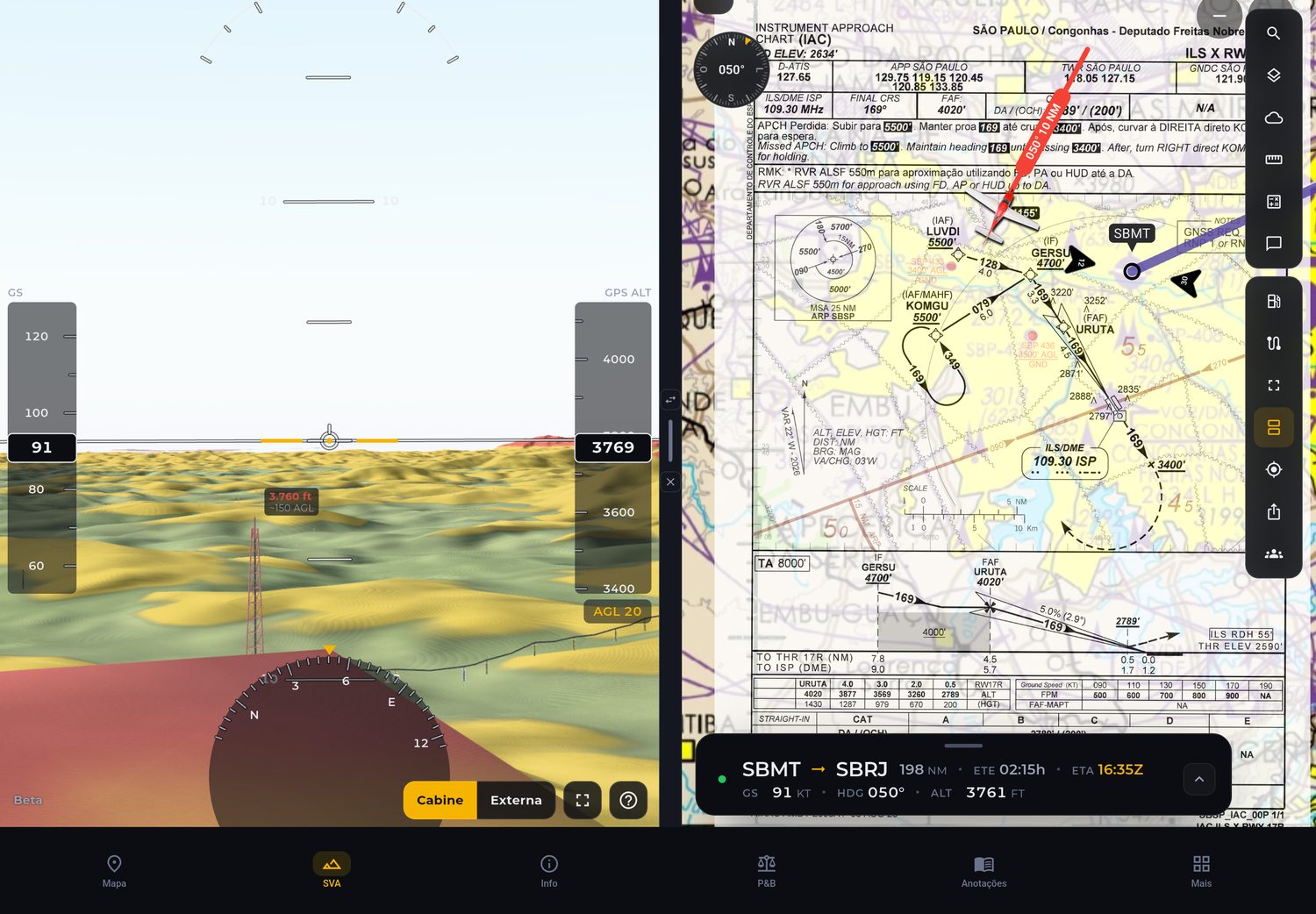
The chart on one side and the map or synthetic vision on the other. Follow the approach while you see the terrain ahead.
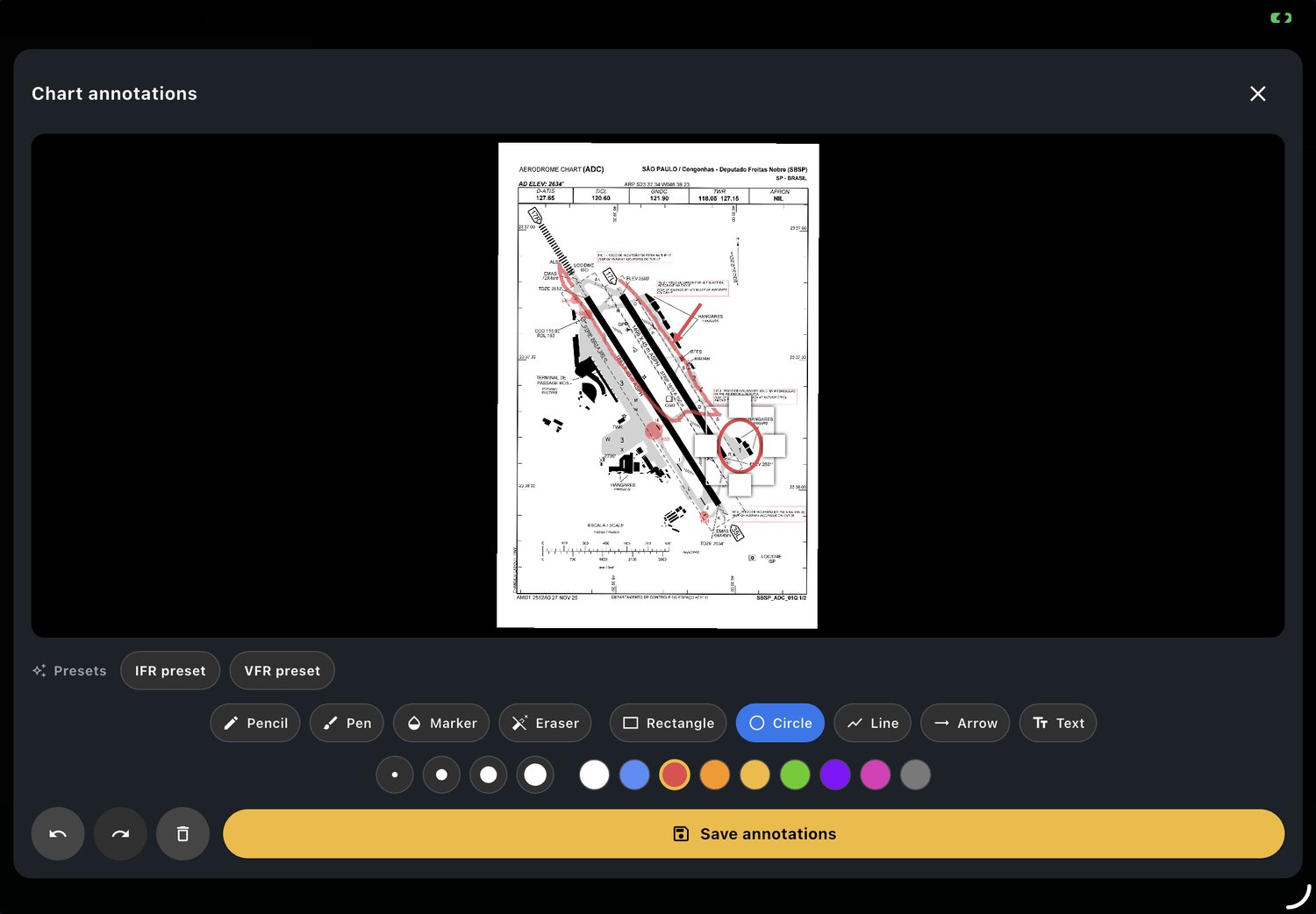
Write and draw on the chart and pin what matters to your kneeboard to check during the flight.
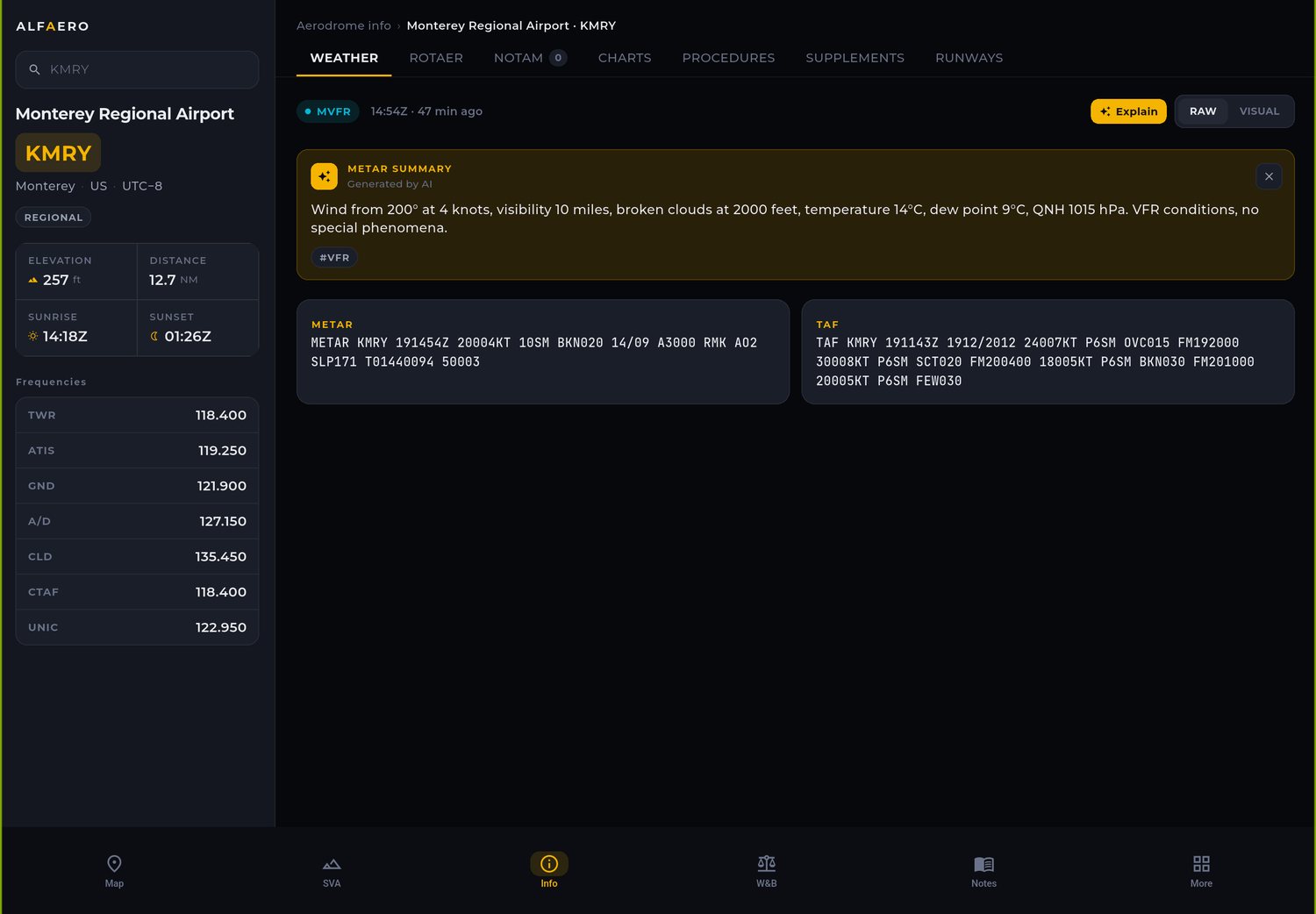
An AI summary in plain language next to the original text, with NOTAM, airport data and frequencies.
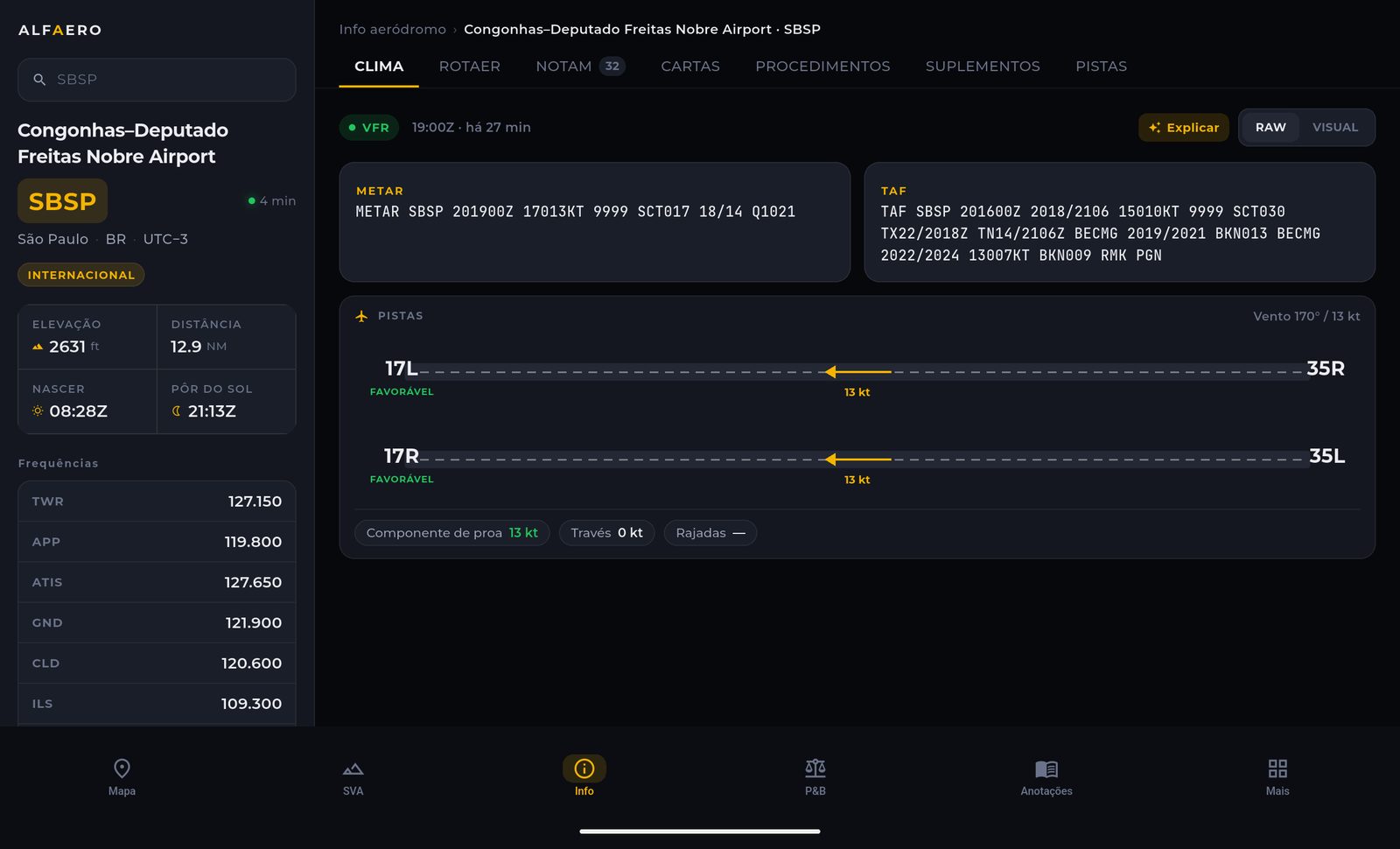
The METAR wind split into headwind and crosswind for each runway end, with the favorable runway marked.
Runways, taxiways, aprons and gates at the main airports in Brazil. Anything closed by NOTAM shows in red.
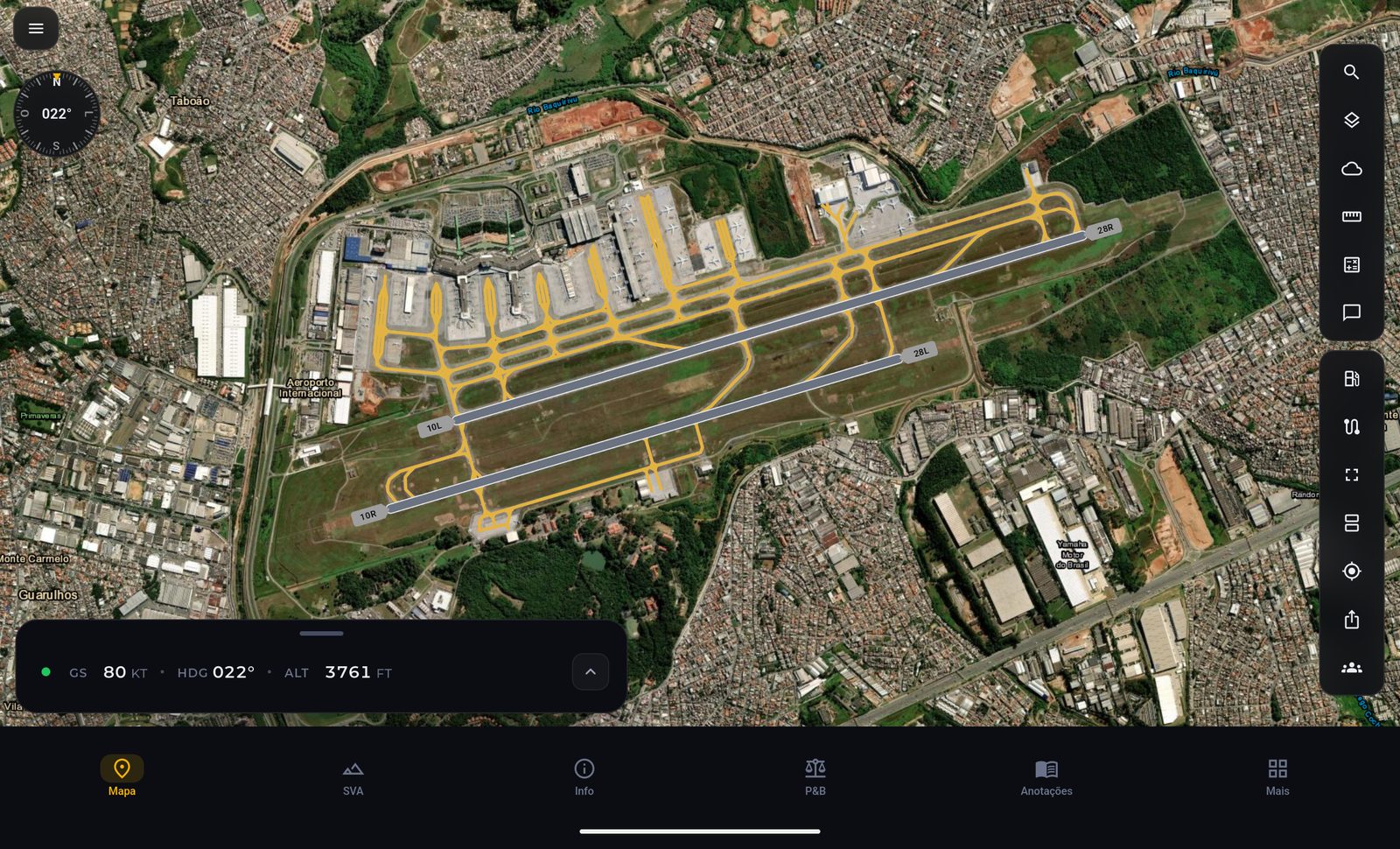
Position, heading, speed and altitude on the map from your device GPS or your simulator, with the track saved in your flight history.
The terrain ahead in 3D with yellow and red alerts based on your altitude, wind turbines and power lines.
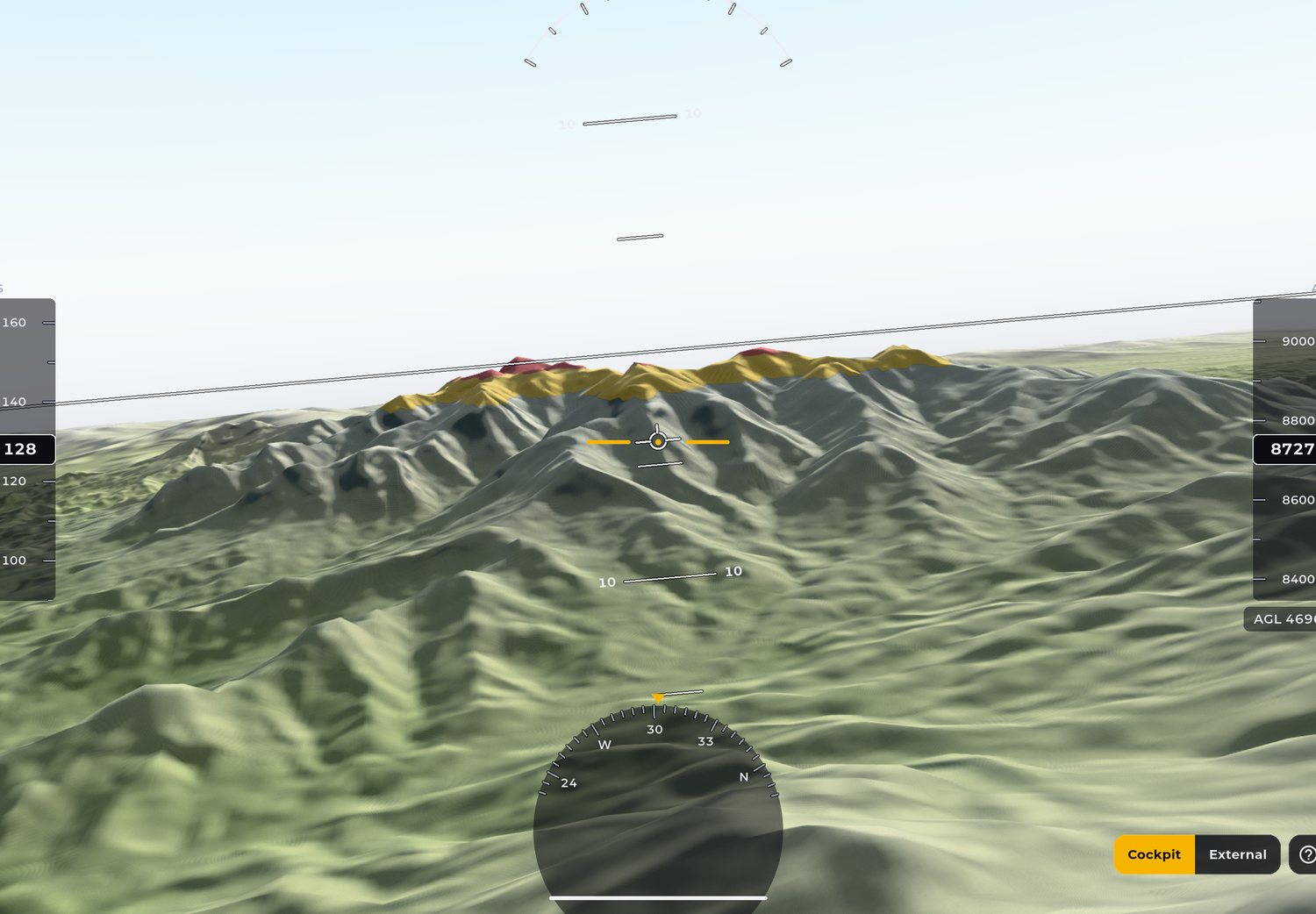
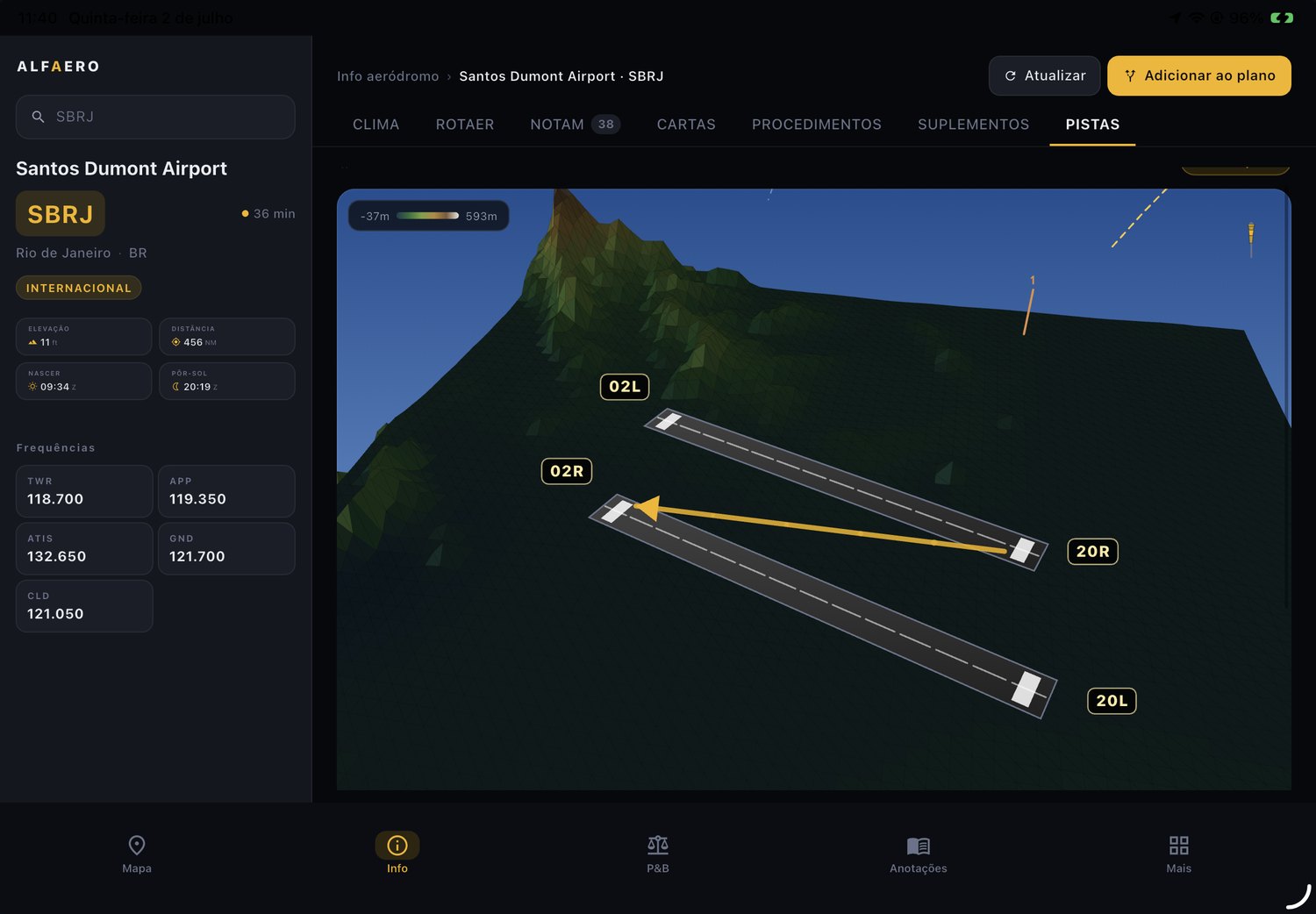
See the runway and the surrounding terrain in three dimensions before you arrive.
Download Alfaero and use every feature during the trial period.
Cookies on this site
We use cookies to measure how the site is used and to improve our ads. It is your choice; the cookies the site needs to work stay on. Privacy Policy