



Weight and balance
How to set up the weight and balance profile of your aircraft
In Alfaero, the weight and balance profile comes ready from the catalog, with limits, stations and envelope from the manual. You only adjust what belongs to your aircraft, such as the empty weight from the weighing record.
Step by step
- Search for the model in the catalog: limits, stations and envelope already come from the manual.
- Enter the empty weight, the arm and the date from the weighing record.
- Check the seats and baggage compartments, with arm and maximum weight.
- Adjust the tanks, in gallons or liters.
- Review the envelope with the points from the manual chart and save. You can calculate right away.
Frequently asked questions
Can the catalog data be edited?
Yes. Everything is editable, so it matches the manual and the weighing record of your aircraft.
What if my airplane is not in the catalog?
You can build the profile from scratch, typing in the data from the manual. There is a tutorial just for that.
More tutorials
All tutorials-
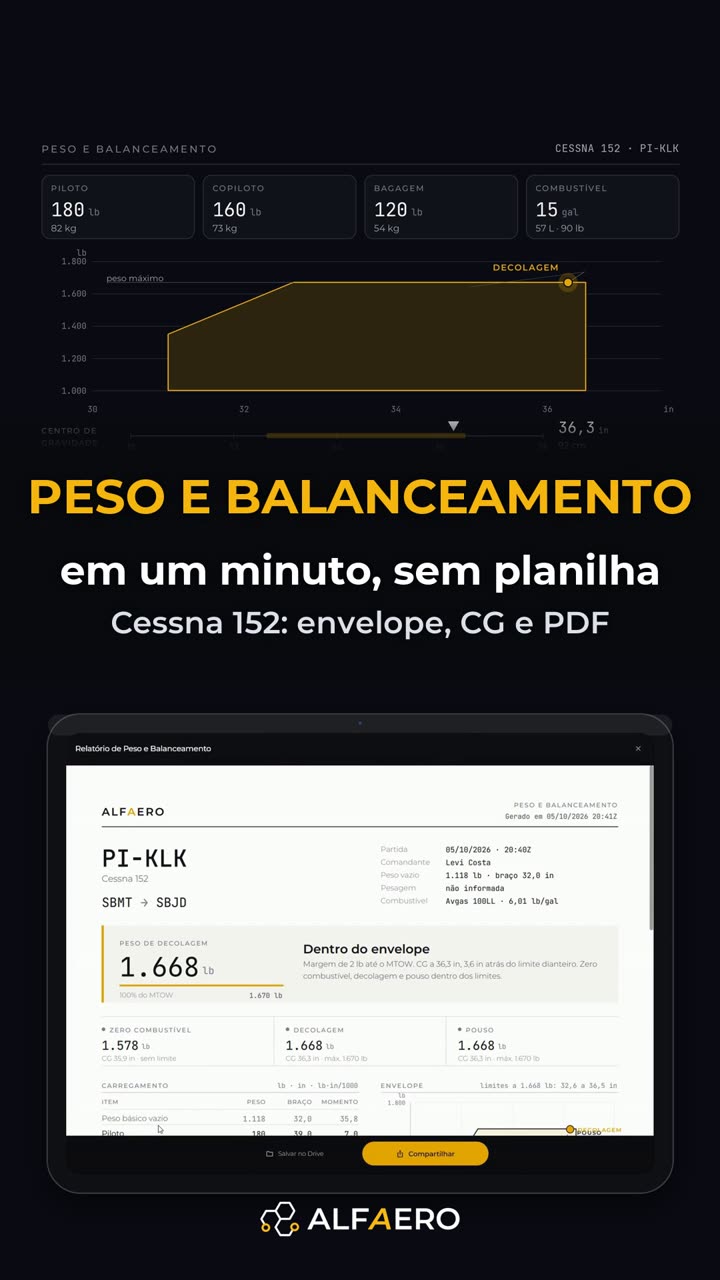 1:24 Weight and balance without a spreadsheet Drag the load and watch the CG on the envelope, with a PDF report.
-
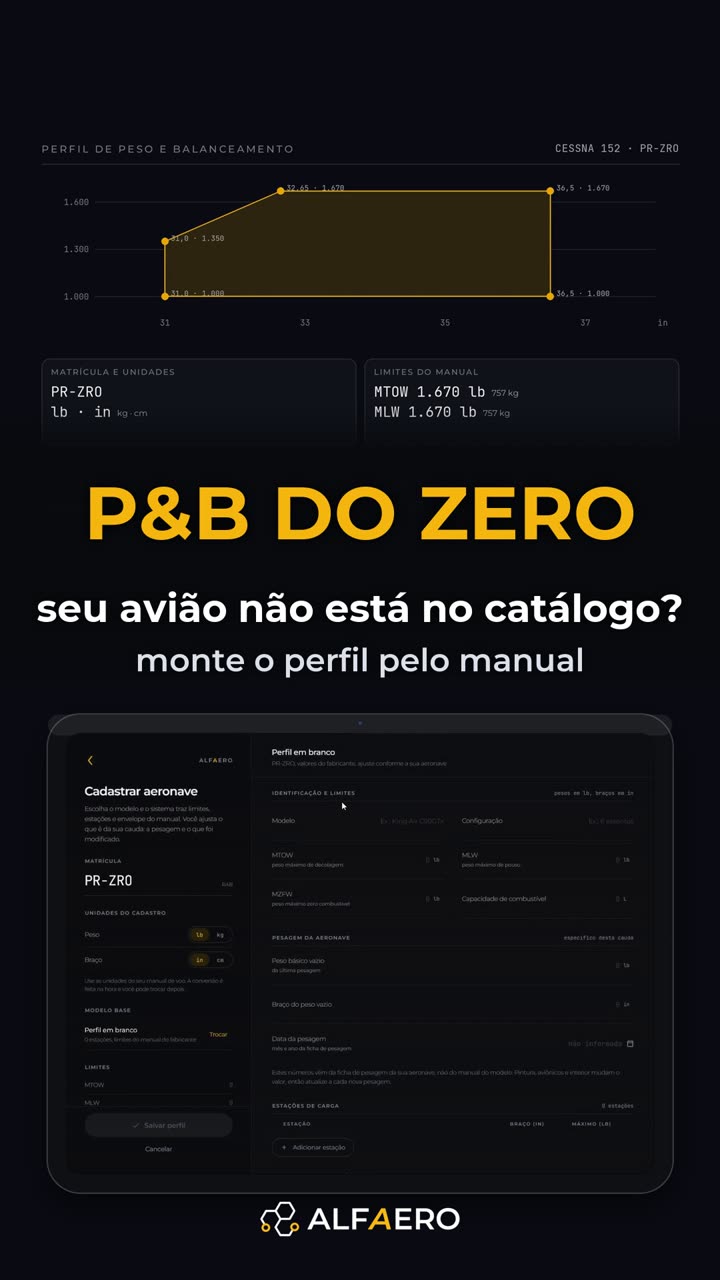 1:31 Profile from scratch, outside the catalog Type everything from the manual, with the envelope drawn instantly.
-
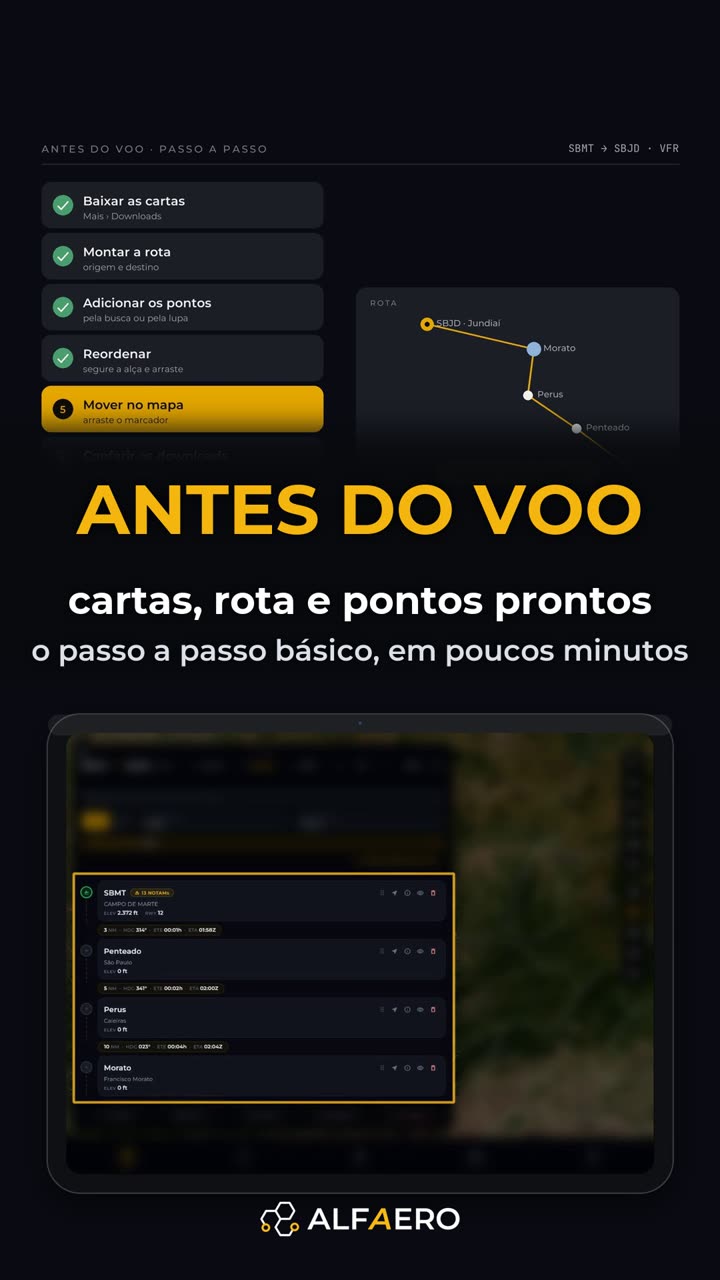 2:09 Step by step before the flight Download charts, build the route, add waypoints, change the order and move them on the map.
Do it on your device
Download Alfaero and repeat the tutorial on your phone, tablet or Windows.