



Flight planning
How to build the destination traffic pattern in the app
With the VFR route ready, the destination traffic pattern is still missing. In Alfaero, one tap on Standard entry builds the pattern according to the rules, and each leg becomes a route waypoint. The video uses Campo de Marte to Jundiaí along the São Paulo REA (Brazil's visual route chart).
Step by step
- With the route built, tap Standard entry at the destination.
- The app picks the runway from the METAR wind. Without a recent METAR, you choose the runway.
- The pattern is flown to the left, at 1,000 feet above the aerodrome, with the entry based on the sector you arrive from.
- Each leg of the pattern becomes a named route waypoint.
- Want something different? Runway, side, entry and height change with one tap, and the app remembers your choice.
Frequently asked questions
How does the app choose the runway?
From the wind in the most recent destination METAR. When there is no recent METAR, the app asks you to choose the runway.
Can I fly a right-hand pattern?
Yes. Runway, pattern side, entry type and height can be changed with one tap, and the app saves your choice.
More tutorials
All tutorials-
 0:59 VFR route along the São Paulo REA Campo de Marte to Jundiaí along the visual points, in under a minute.
-
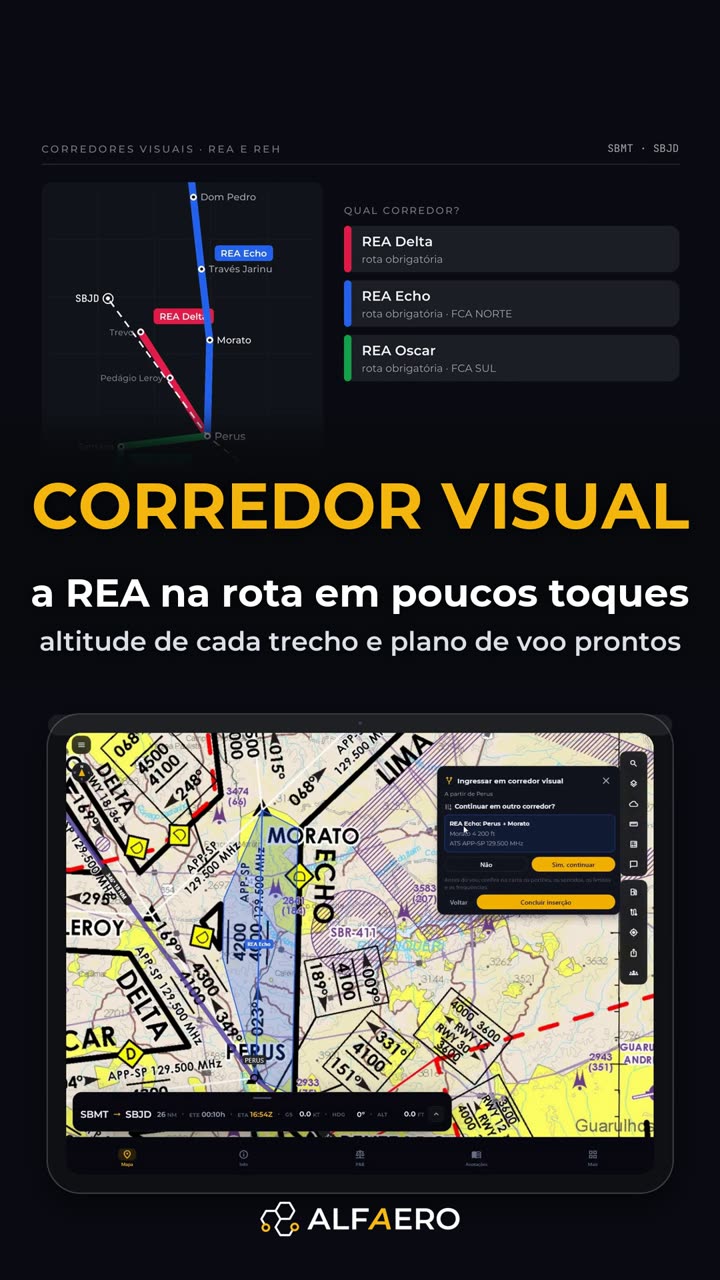 1:30 REA and REH visual corridors Choose the corridor and the exit; the points go in as a block with the altitude.
-
 1:20 Weather layers on the map Observed rain, lightning, precipitation, winds and SIGMET explained by AI.
Do it on your device
Download Alfaero and repeat the tutorial on your phone, tablet or Windows.